
Every plant has the same Monday-morning fiction: a schedule that was true when it was printed and wrong by the first breakdown. A rush order arrives, a machine goes down, a casting is late — and the neat sequence dissolves into the supervisor deciding, job by job, what to run next. Production scheduling is the discipline of turning a plan into a sequence that survives contact with a real week — and of re-sequencing it fast enough that it stays true after the rush order lands.
This guide is for planners and production managers who already have work orders — from MRP or raised by hand — and need to decide when each one runs and on which machine. It covers priority, finite loading, Gantt boards and sequencing rules, and how Fast Planning Software puts them together. For the wider picture — how demand becomes a plan in the first place — start with the pillar guide, what is production planning software?
MRP decides what and how much; scheduling decides when and where. If you want the MRP half first — BOM explosion and netting — read what is MRP software? This article assumes the work orders exist and focuses on sequencing them against real capacity.
1. What production scheduling actually is
Production scheduling is the step that decides when each work order runs and on which machine or work centre. Where MRP produces a set of work orders — an order to make a quantity of an item by a date — scheduling arranges those work orders into a time-phased sequence that the shop floor can actually run, given the machines and hours it has.
A work order is not a single block of time. It is a chain of operations, each on a machine or work centre, each with a standard cycle time and a setting (changeover) time. Scheduling places those operations on a timeline — respecting the order in which they must run, the priority of the job, and how loaded each machine already is. The output is a schedule, usually shown on a Gantt board, that answers three questions at once:
- Sequence — in what order do the jobs run on each machine?
- Timing — when does each operation start and finish, and when will the whole order be done?
- Feasibility — does the sequence fit inside the capacity the plant actually has, or is a machine overloaded?
Get scheduling right and a planner can promise a realistic date and defend it. Get it wrong — or skip it and let the floor decide — and due dates become a lottery decided by whoever shouts loudest.
2. Order priority vs resource priority
Two kinds of priority drive a schedule, and confusing them is a common cause of a plan that looks ordered but runs badly. A serious scheduler uses both.
| Aspect | Order / project priority | Resource priority |
|---|---|---|
| Ranks | The jobs — which order runs first | The machines — which resource an operation prefers |
| Driven by | Due date, customer, business urgency | Capability, preferred vs fallback machine, load |
| Answers | Whose work jumps the queue? | Where does this operation go when the first machine is busy? |
| Used to | Sequence the whole order book | Move an operation to a less-loaded machine |
| Together | Order priority sets the sequence; resource priority places each operation — so a high-priority order can be shifted to a fallback machine to hold its date | |
Order (or project) priority ranks the jobs themselves. A priority-1 order — the one due tomorrow, or for the customer you cannot disappoint — is scheduled ahead of a priority-3 stock replenishment, even if the stock job arrived first. Resource priority ranks the machines a given operation can run on: a preferred machine and one or more fallbacks. When the preferred machine is overloaded, resource priority lets the scheduler place the operation on the next-best machine rather than simply queuing behind everything else. Used together, the two mean a planner can protect an urgent order's date by moving its operations to whichever capable machine has room. See Scheduling & Priority (Gantt).
3. Finite vs infinite scheduling
The single most important choice in a scheduler is whether it respects capacity. It is the difference between a schedule the floor can keep and one it quietly ignores.
| Behaviour | Infinite scheduling | Finite scheduling |
|---|---|---|
| Treats a machine as | Able to absorb unlimited work | Having a fixed number of available hours |
| Places each operation | At its earliest possible date | In the first free slot that actually fits |
| Overloads | Hidden — everything looks on time | Visible — loading rises above 100% |
| Good for | A rough, first-cut plan | A schedule the floor will actually run |
| Risk | Promises dates no machine can keep | Forces the real trade-off up front |
Infinite scheduling assumes any machine can take any amount of work, so it drops every operation at its earliest date and produces a schedule that looks wonderful and lies. Finite scheduling respects each machine's available hours: operations queue behind one another, and when demand exceeds capacity the overload shows up as a machine loading percentage over 100% rather than a silent broken promise. Finite scheduling is what forces the trade-off — pull work forward, move it to another machine, add a shift, or accept a later date — while there is still time to make it. For the capacity mechanics behind this, see machine capacity planning explained.
4. The Gantt board — sequencing you can see
A schedule is a table of start and end times, but no planner reasons about it that way. The Gantt board is the view that makes a schedule usable: machines (or work centres) down the side, time across the top, and each operation a bar whose length is its duration and whose position is its slot. On a good board a planner can see, in one glance, what a spreadsheet buries in rows:
- Where the load is — a machine row packed wall-to-wall is the bottleneck; a row with gaps has room.
- Where a job sits — every operation of a work order, across machines, and when the last one finishes against the due date.
- What clashes — two high-priority operations wanting the same machine at the same time, shown as a queue rather than discovered on the floor.
- What moves — drag a bar to re-sequence, and the knock-on effect on every downstream operation updates with it.
Fast Planning uses a DayPilot Gantt scheduler for exactly this — a drag-oriented board where work orders are laid out by priority and timeline, and re-sequencing is a matter of moving a bar rather than rebuilding a spreadsheet.
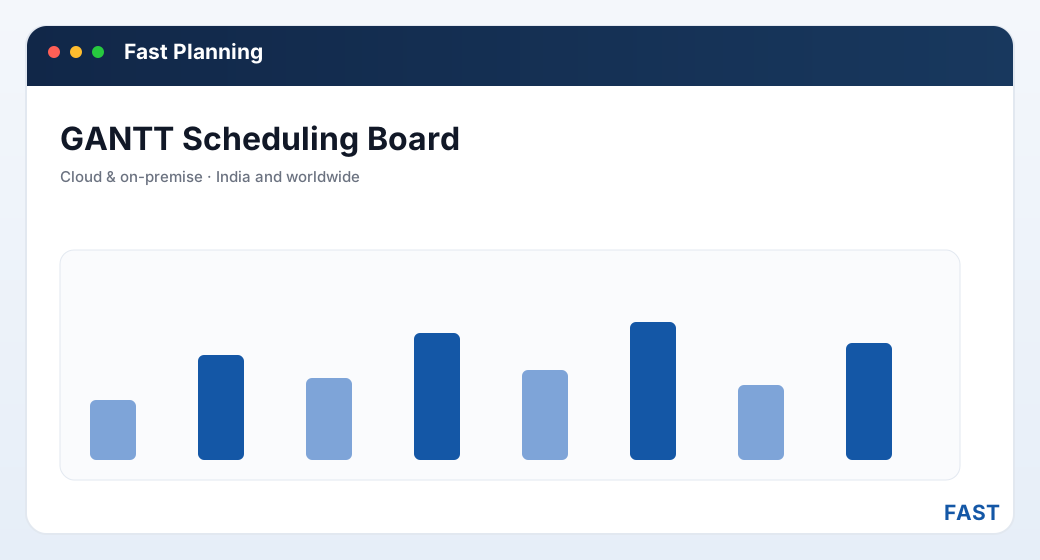
On a Gantt board the bottleneck is obvious — a packed machine row — and re-sequencing is dragging a bar, not rebuilding a spreadsheet. Bars and dates shown are illustrative.
5. The sequencing rules planners actually use
Within a machine's queue, some rule decides which job runs next. No single rule is right for every shop, and most planners blend a few. These are the ones worth knowing:
- Run the job due soonest first
- Minimises lateness against promises
- The usual primary rule for on-time delivery
- Run jobs in the order they arrived
- Simple and fair, easy to explain
- Ignores urgency, so needs priority on top
- Clear the quick jobs first
- Empties a crowded queue fast
- Can starve long jobs — use with care
- Rank by business urgency, not just date
- Critical ratio weighs time left vs work left
- The primary rule in most real plants
In practice, most plants run priority as the primary rule — the priority-1 order goes first — with earliest due date and shortest setup as tie-breakers. A common refinement is setup grouping: running jobs that share a fixture or tool back to back on a machine so changeover time is paid once, not repeatedly. The setting (changeover) times captured on each operation's process sheet are what let a scheduler weigh that trade-off honestly. See Process Sheets & Routing.
6. Machine loading feeds the schedule
Scheduling and machine loading are two sides of one coin. The load on a machine is the total hours of the operations sequenced onto it; its capacity is the hours it has. A schedule that ignores the resulting % loading is just a wish list. Read together, they let a planner:
- Spot the bottleneck early — the machine whose loading is well over 100% is the one that will make jobs late, and it is visible before the week starts, not after.
- Read projected availability — when a busy machine will next be free, so a new order gets a realistic promise date instead of a hopeful one.
- Level the load — spread work across machines and shifts so no single resource is drowned while another idles.
This is why finite scheduling and machine loading belong in the same system reading the same operation times: the schedule you drag on the Gantt board and the loading percentage you read on the report are two views of one calculation. The full mechanics are in machine capacity planning explained.
A job shop starts the week with three turning centres loaded to roughly 80%, 95% and 130% (illustrative). The scheduler moves two priority-2 operations off the 130% machine onto the 80% one using resource priority, and pulls a priority-1 order forward on the Gantt board. Loading levels to the mid-90s across all three, the urgent order holds its date, and the planner can tell the customer a number they can defend — all before the first job runs.
7. Keeping the schedule realistic when priorities change
No schedule survives the week unchanged. A rush order lands, a machine breaks down, a supplier slips. What separates a useful schedule from a stale one is not that it never changes — it is how fast it can be re-sequenced when it must. The discipline has four moves:
| # | When this happens | What the planner does |
|---|---|---|
1 |
A rush order lands | Raise its order priority; the scheduler reloads against the same finite capacity, showing which existing jobs now slip and by how much — so the trade-off is a decision, not a surprise. |
2 |
A machine goes down | Mark the machine unavailable; its operations move to fallback machines by resource priority, and the load on those machines rises visibly so the planner can re-level. |
3 |
Material is late | Push the affected work order later; the Gantt board frees the slots it held so other jobs can pull forward into the gap rather than the machine sitting idle. |
4 |
The floor books actuals | As operations are booked complete, the schedule reflects real progress, so tomorrow's sequence starts from where the floor actually is — not where the plan assumed it would be. |
The thread through all four is a live, re-sequenceable schedule tied to real capacity and real progress. A Gantt board makes re-sequencing a drag; finite loading makes the consequences visible; and shop-floor booking keeps the schedule anchored to reality. Without those three, a schedule is a document that was accurate once. With them, it is a plan the floor can trust all week. Progress is booked by scanning machine, shift and operator barcodes, and the gap between plan and reality is measured in plan-vs-actual and OEE.
8. How Fast Planning Software implements scheduling
Fast Planning Software is the MRP and production-planning product of the Fast Suite, built in Pune by Improsys under the Fast Technology brand, deployable cloud or on-premise for manufacturers across India and worldwide. It runs each part of the scheduling picture with real, named screens:
| Capability | How Fast Planning Software does it |
|---|---|
| Work orders to schedule | Work orders generated from the netted plan carry a routing — operations, standard cycle and setting times — so the scheduler has real durations to place, not guesses. See process sheets & routing. |
| Order & resource priority | Order/project priority ranks the jobs and can be re-sequenced; resource priority ranks preferred and fallback machines, so an operation can move to a less-loaded machine to hold a date. See scheduling & priority (Gantt). |
| Finite loading | Operations load against each machine's available hours, and a machine loading report shows daily load, % loading and projected availability, so overloads surface before the week starts. See machine loading & capacity. |
| Gantt board | A DayPilot Gantt scheduler lays work orders out by priority and timeline as draggable bars, so re-sequencing is visual and its knock-on effects are immediate. |
| Re-planning | Priority changes, machine unavailability and late material reload the schedule against the same finite capacity, showing which dates move — so a rush order is a controlled decision, not a scramble. |
| Progress & measurement | The floor books operation progress by barcode, and plan-vs-actual, utilization and OEE dashboards show where the schedule held and where it slipped. See plan vs actual & OEE. |
Schedule against real capacity, re-sequence in seconds, measure what ran.
Fast Planning schedules the work orders MRP raises — order and resource priority, finite machine loading, and a DayPilot Gantt board. Because it shares one platform with the rest of the Fast Suite, the work orders you schedule flow straight to Fast Production, draw against the same stock Fast Inventory keeps, and feed plan-vs-actual and OEE — with nothing re-entered.
9. Frequently asked questions
See your work orders on a live Gantt board
A 30-minute demo — your work orders, your machines, priority and finite loading on a DayPilot board you can drag. No generic slideshow.