
A purchasing manager places an order for steel that, it turns out, was already sitting in the store — reserved to a job that got cancelled last week. Two aisles over, a work order stalls because a bought-out casting nobody flagged is three weeks out on a purchase order that slipped. Both mistakes have the same root cause: a plan built on gross demand that never checked what the plant already had or already had coming. Closing that gap — turning raw demand into a netted, actionable plan — is exactly what MRP software exists to do.
This guide is written for the person evaluating the software category — a plant head, planning manager, or business owner deciding what to buy. It covers what MRP actually does step by step, the ideas that separate a real planning engine from a spreadsheet with a formula in it, and how Fast Planning Software implements each one. If you want the wider discipline first — production planning and control as a practice, independent of any tool — start with our pillar guide, What is production planning software?, and come back here when you are ready to compare software.
The Learn Hub pillar guide teaches PPC and MRP as a practice — the plan-to-execute cycle, the vocabulary, netting and scheduling for newcomers. This article assumes you know why planning matters and focuses on the buying decision: what an MRP engine does, where products differ, and what to check before you sign.
1. What is MRP software?
MRP — material requirements planning — is the calculation that works out, item by item and level by level, exactly what to make, what to buy, and when. MRP software runs that calculation over your real data: it takes demand from a sales or production plan, explodes each finished good through its bill of materials, nets the result against what you hold and what is coming, and turns whatever is still short into two kinds of instruction: purchase requisitions and work orders.
The starting point is always the same pair of inputs: demand (a forecast or confirmed orders) and a bill of materials (the multi-level structure of what each finished good is made of). From those, MRP derives everything else. The key word is netted. Plenty of tools can multiply demand by a BOM. What makes a real MRP engine is that nothing it suggests ignores reality:
- Every requirement is exploded — demand walks down the full BOM tree, so a finished-good number becomes a gross requirement for every sub-assembly, component and raw material beneath it
- Every requirement is netted — gross demand is reduced by stock on hand and open supply, so the plan acts only on what is genuinely short
- Every shortfall becomes a document — a purchase requisition to buy or a work order to make, not a note to chase later
- Every parameter is respected — each item's lead time and reorder level decide the timing, so the plan says when as well as how much
- Every allocation is protected — stock reserved to one plan is not offered again to another, so two plans never fight over the same material
Instead of a spreadsheet that reacts to shortages after they bite, MRP produces one coordinated plan that procurement and production act on together. For the deeper practice behind it, see our MRP — BOM explosion & netting feature.
2. Why a planning spreadsheet fails
Most plants do not start with no system. They start with a demand spreadsheet, a BOM in another tab, and a purchasing list someone updates by hand. It feels adequate until item counts, BOM depth or a stock-out exposes it. The failure modes are consistent enough to list:
- Explosion by hand does not scale. A three-level BOM across a hundred finished goods is thousands of component lines. Exploding that in a spreadsheet is a weekend's work that is stale before it is finished.
- Gross demand buys the wrong things. A spreadsheet that orders against gross demand cannot see the stock you already hold, so it buys material that is sitting in the store — and misses the item that looks covered only because of a purchase order that never arrived.
- Open supply is invisible. Open purchase orders and open work orders are supply too. A plan that ignores them either double-orders or double-makes, because it treats "coming next week" as "not here".
- Reservations get double-spent. Stock earmarked for one job looks free to the next planner. Without reservation, the same casting is promised to two work orders and one of them stalls.
- Timing is guesswork. A quantity with no lead time is only half a plan. A spreadsheet rarely knows that a long-lead casting must be ordered six weeks before the short-lead fastener.
- No safety net between runs. Between one monthly plan and the next, a spreadsheet says nothing. An item quietly falls below its reorder point and nobody notices until the line stops.
None of this fails loudly. That is what makes it dangerous: a spreadsheet never sends you a report saying you are about to buy steel you already own, or that a reserved casting has been promised twice.
3. What the software does — the MRP run, step by step
Whatever the vendor, an MRP run follows broadly the same sequence. What the software does is make each step explicit and repeatable — so a plan comes out the same way whether the plant runs ten finished goods or ten thousand component lines.
| # | Step | What the software does |
|---|---|---|
1 |
Capture demand | A sales or production plan is entered for the horizon, or pulled from confirmed orders. This gross demand for finished goods is what seeds the run. |
2 |
Explode the BOM | Each finished good's demand walks down its bill of materials, multiplying quantity-per at every level, to derive a gross requirement for every sub-assembly, component and raw material. |
3 |
Read stock on hand | For each exploded item the engine reads current free stock, so the plan starts from what the plant genuinely holds rather than from zero. |
4 |
Read open supply | Open purchase orders, open work orders and stock reserved to other plans are added up as supply already on the way, so nothing is ordered twice. |
5 |
Net the requirement | Gross demand minus stock on hand minus open supply gives the net requirement — the quantity the plan actually has to act on, per item, per level. |
6 |
Split buy vs make | Each net shortfall is classified: raw material and bought-out items go to the buy side; in-house sub-assemblies and outsourced components go to the make side. |
7 |
Raise purchase requisitions | Buy-side shortfalls become purchase requisitions, timed by each item's lead time, handed to purchasing to turn into purchase orders. |
8 |
Raise work orders | Make-side shortfalls become work orders, each carrying a routing, so the shop floor knows what to build and in what sequence of operations. |
9 |
Schedule | Work orders are sequenced by priority and loaded against finite machine capacity, so the make plan respects the machines that actually exist. |
10 |
Reorder watch | Between runs, a live reorder-level dashboard watches free stock against each item's reorder point and proposes a purchase requisition the moment stock dips below it. |
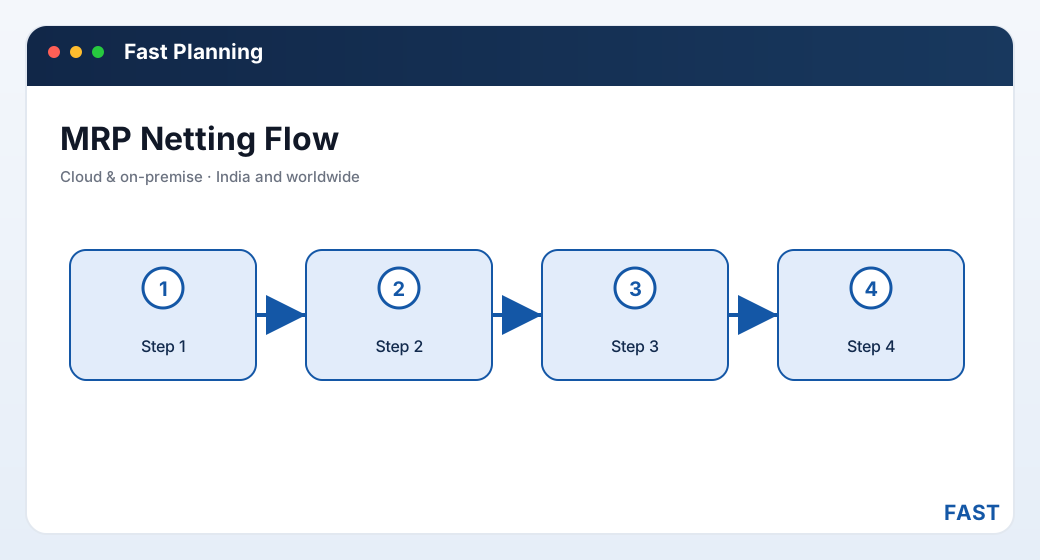
The MRP run is one chain — demand exploded, netted against stock and open supply, then split so every shortfall becomes either a purchase requisition to buy or a work order to make.
4. Core capabilities checklist
Feature lists blur together quickly. These are the eight capabilities that actually determine whether a product can run material planning — use them as your evaluation checklist.
- Multi-level BOM walked from FG to raw material
- Quantity-per and scrap/yield at each level
- Order-specific BOMs for make-to-order work
- Gross demand less stock on hand
- Less open POs, open WOs and reserved stock
- Net requirement per item, per level
- Forecast / sales plan for make-to-stock
- Confirmed orders for make-to-order
- Both handled in one planning run
- Raw material / bought-out → purchase requisition
- In-house SFG and outsourced components → work order
- Clean classification, per shortfall
- Each item's lead time drives when to act
- Long-lead items ordered earlier
- Plan says when, not just how much
- Reserve stock to a plan so it is not re-offered
- Two plans never double-count the same stock
- Reservation report for netting transparency
- Live reorder-level dashboard
- Auto-suggested PR below reorder point
- Safety net between planning runs
- Sales-plan, RM/bought-out and component reports
- Stock reservation transparency
- What was planned, netted and suggested
Alongside these eight, check the make-or-buy discipline: does the system understand that a net shortfall is not just a number but a decision — buy it, or make it — and raise the right document for each? A tool that lists shortfalls but leaves you to sort them into purchase orders and work orders by hand has done the arithmetic and skipped the plan.
5. MRP vs MRP II vs ERP
Buyers often discover mid-evaluation that "MRP", "MRP II" and "ERP" answer three progressively wider questions. They build on each other rather than competing, and the best arrangement runs them on one platform rather than bolting a planning tool onto a separate system.
| Aspect | MRP | MRP II | ERP |
|---|---|---|---|
| Core question | What to make and buy, and when? | Can our machines actually do it? | What does the whole business need? |
| Adds | BOM explosion and netting | Finite capacity and shop-floor control | Sales, purchase, inventory value, finance |
| Key output | Purchase requisitions and work orders | A capacity-checked, scheduled plan | One shared record across departments |
| Treats capacity as | Assumed / infinite | Finite — respects machine hours | Finite, plus costed and valued |
| Fast Suite covers it | Yes — the MRP engine | Yes — loading, priority, OEE | Yes — one shared platform |
The point is not that one replaces the others — it is that they must share the same data. Fast Planning covers MRP and the MRP II capacity-and-control layer, and rides the same platform as the rest of the Fast Suite so the step up to full ERP is a menu, not a migration:
- MRP gives you the netted plan — purchase requisitions and work orders. See MRP — BOM explosion & netting.
- MRP II adds finite machine loading, priority scheduling on a Gantt board, and plan-vs-actual and OEE — so the plan respects real capacity and is measured against real output.
- ERP wraps both in the wider business — because Fast Planning shares one item, BOM and stock master with Fast Production, Inventory and Purchase, nothing is re-keyed at a boundary.
6. Who needs MRP software?
Not every workshop needs a dedicated engine on day one. These are the situations where the demand-spreadsheet approach reliably stops being enough:
| Manufacturer | Why netted planning becomes necessary |
|---|---|
| Make-to-order & engineering | Confirmed orders explode through often order-specific BOMs; netting against stock and open POs is what stops each new order re-buying material already held. See make-to-order planning software. |
| Machine shops & job work | Many small work orders share the same raw stock and machines; netting and reservation keep two jobs from claiming the same bar. See machine shop planning software. |
| Automotive & precision components | Deep multi-level BOMs and tight due dates need explosion and lead-time timing, not a hand-built purchasing list. See automotive component planning software. |
| Process & batch manufacturing | Batch recipes and bought-out inputs need netting against stock and reorder levels to avoid both stock-outs and over-buying. See process & batch planning software. |
The practical trigger is usually one of three events: material bought that was already in the store; a line stopped for a component everyone assumed was covered; or a growth stage where the number of finished goods and BOM levels outruns the one planner who used to hold it all in a spreadsheet.
7. How to evaluate MRP software
Most demos look good. The differences show up in the specifics, so evaluate against your own BOMs and stock rather than the vendor's script.
- Do you work to master BOMs, order-specific BOMs, or both?
- How many levels deep does your deepest finished good go?
- Ask the vendor to explode one of your finished goods live
- Does it net against stock on hand, open POs, open WOs and reserved stock?
- Show it an item covered only by an open PO — does it avoid re-ordering?
- Show it stock reserved to another plan — is it excluded from the net?
- Does a net shortfall become a real purchase requisition or work order?
- Are raw material, bought-out, in-house and outsourced items split correctly?
- Does a work order carry a routing the floor can actually build from?
- Does each item's lead time push long-lead orders earlier?
- Is there a live reorder-level dashboard between planning runs?
- Does the reorder watch suggest a PR the moment stock dips below the point?
- Sales-plan, RM/bought-out and component reports at a glance
- Stock reservation transparency — what is committed to which plan
- A clear trail from demand through net to the suggested documents
- Does the same item, BOM and stock master serve production and purchase?
- Can a work order flow straight to the shop floor without re-entry?
- Can it add finite capacity and OEE (MRP II) and grow into full ERP later?
8. How Fast Planning Software implements each capability
Fast Planning Software is the MRP and production-planning product of the Fast Suite, built in Pune by Improsys under the Fast Technology brand, deployable cloud or on-premise for manufacturers across India and worldwide. It runs each capability above with real, named screens — the same ones you would see in a demo:
| Capability | How Fast Planning Software does it |
|---|---|
| Demand capture | A sales or production plan captures gross demand for the horizon — typed against a forecast for make-to-stock, or pulled from confirmed orders for make-to-order, or both in one run. See sales & production plan. |
| BOM explosion | Each finished good's demand explodes through its multi-level bill of materials — master or order-specific — deriving gross requirements for every sub-assembly, component and raw material. See MRP — BOM explosion & netting. |
| Netting | Every exploded item is netted against stock on hand, open purchase orders, open work orders and reserved stock, giving a net requirement per item and level — with a stock reservation entry and report so allocations are never double-spent. |
| Make-or-buy split | Raw-material and bought-out shortfalls become the bought-out plan and raise purchase requisitions; in-house and outsourced (SFG/OSL) shortfalls become the component plan and raise work orders. |
| Work-order output | Work orders carry a WO specification / routing with operations and standard times, printed as job cards individually or in batch, ready to schedule and build. See process sheets & routing. |
| Reorder automation | A live reorder-level dashboard watches free stock against each item's reorder level (a planning parameter with lead time on the item master) and proposes a purchase requisition automatically, between formal runs. |
| Capacity & measurement (MRP II) | Work orders load onto finite machine capacity, sequence by priority on a Gantt board, and report plan-vs-actual and OEE. |
| Analytics | Planning MIS reports the plan live, and Dhruv AI adds a planning role dashboard, plain-English questions over your planning data in a read-only sandbox, and AI insight summaries on load and plan-vs-actual. |
Start with the plan. Grow into scheduling, execution and full ERP.
Fast Planning runs the MRP layer — demand, BOM explosion, netting, purchase requisitions and work orders — and the MRP II capacity layer on top. Because it shares one platform and one BOM, item and stock master with the rest of the Fast Suite, a work order it generates draws against the same stock Fast Inventory keeps, and flows straight to Fast Production — with nothing re-entered.
9. Frequently asked questions
See a live MRP run on your own BOMs
A 30-minute demo — your demand, your bill of materials, your stock exploded and netted into purchase requisitions and work orders. No generic slideshow.